Highlights
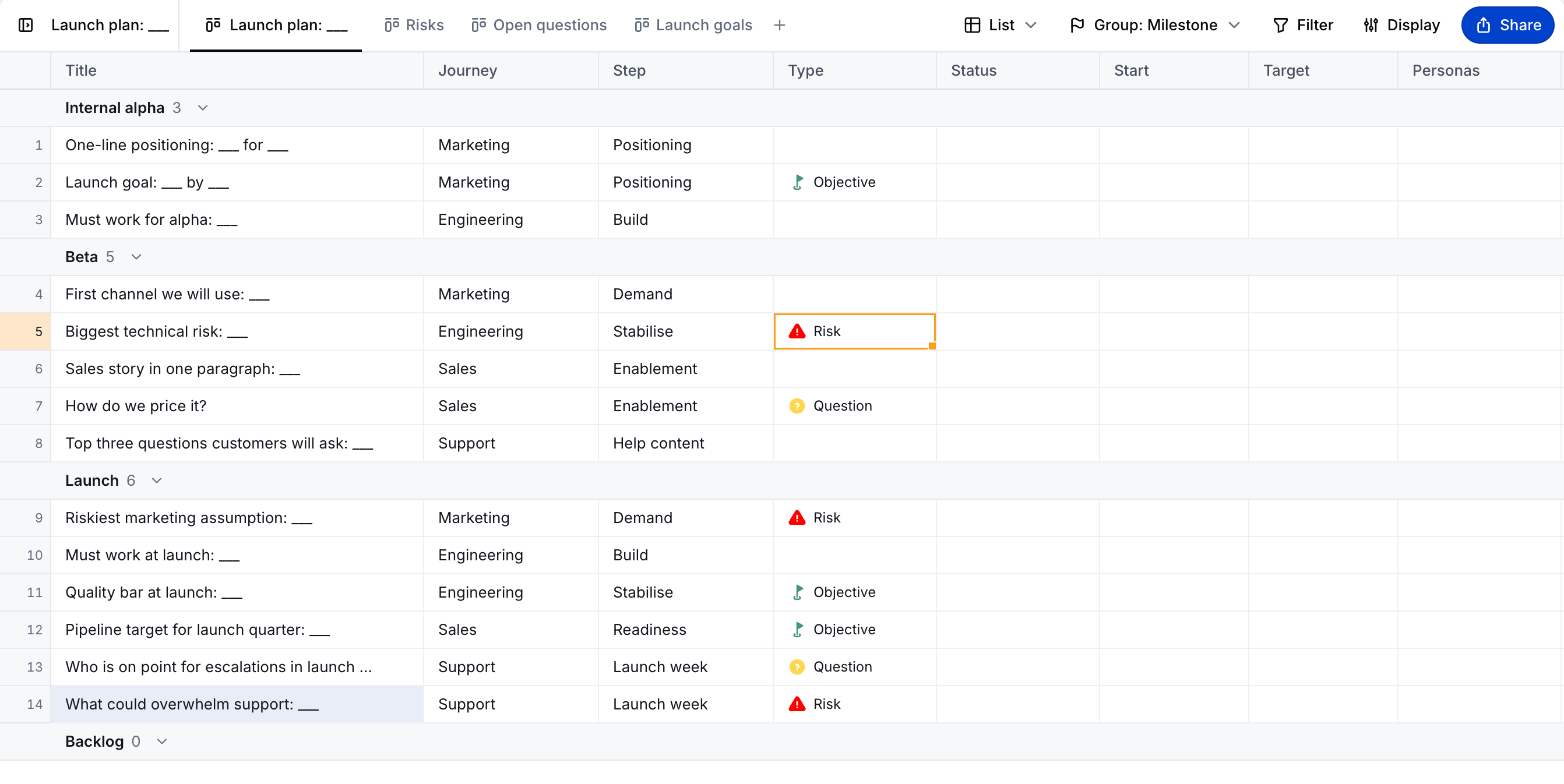
We’ve rebuilt it from the ground up: easier to drive with the keyboard, quicker to react, and closer to a spreadsheet than a big list. It’s as lightning-fast as the spreadsheet tools we’re all used to, just colocated with the rest of your work. Generally, it should behave how you’d expect a spreadsheet to.
- Copy and paste with Excel and Google Sheets
- Group by journey, milestone or nothing
- Shortcuts for everything
Copy and Paste
Copy and paste use tab-separated text, so they round-trip with Excel and Google Sheets. When a paste runs past the last row, Cartographer offers to add the rows. Cut and paste moves cells.
Grouping
Group by Journey, Milestone or None. Click a section header to collapse it, and use Add to add a card to that section.
Shortcuts
| Keys | Action |
|---|---|
| Arrows | Move between cells |
| Cmd + Arrows | Jump to the edge |
| Tab | Move across |
| Enter | Edit the cell, or open its picker |
| Escape | Cancel an edit |
| Delete | Clear the selected cells |
| Cmd + D | Fill down |
| Shift + Enter | Add a card below |
| Alt + Up / Down | Move the selected cards |
| Cmd + Z | Undo |
You can also drag a row by its grip to move it.
Feedback
We’d love to get your feedback – open the help menu and send us a message!
